ASUS Vivobook X441UR-GA014T RAM upgrade specifications

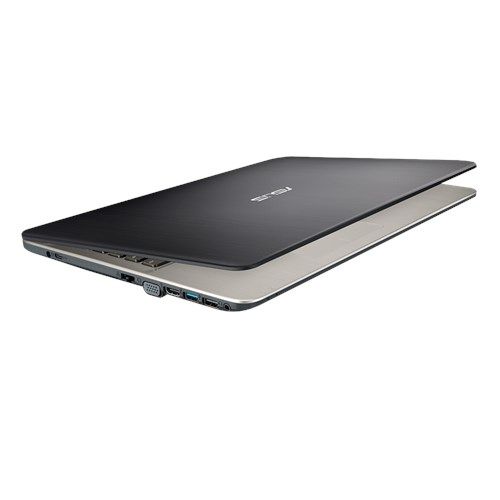
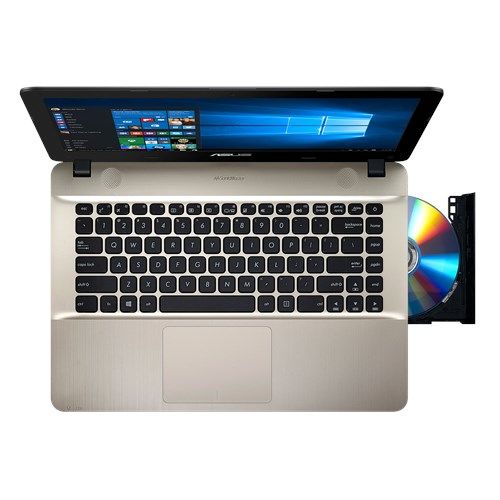
The ASUS Vivobook Max X441UR-GA014T laptop features DDR4-SDRAM memory specifications supporting RAM upgrade capabilities. The system contains one SO-DIMM slot available for memory expansion, with maximum compatible capacity of 16 GB. Current memory operates at 2400 MHz frequency. The laptop utilizes a hybrid memory configuration combining on-board memory with the expandable SO-DIMM slot. Specifications indicate DDR4-SDRAM compatibility for upgrade components. The single memory slot allows users to increase total system RAM up to the maximum supported capacity of 16 GB through compatible DDR4 memory modules.
Memory Upgrade Specifications
| Specification | Value |
|---|---|
| Memory slots | 1x SO-DIMM |
| Form factor | On-board + SO-DIMM |
| Memory type | DDR4-SDRAM |
| Frequency | 2400 MHz |
| Maximum RAM | 16 GB |
| Voltage | 1.2V |
| Number of pins | 260-pin |
| Interface | PC4 |
| PC Speed Rating | PC4-2400 (PC4-19200) |
| Bandwidth | 19.2 GB/s |
| Laptop Release date | 11 February 2019 |
Additional Notes
- The presence of on board memory indicates that a portion of the system RAM is permanently soldered to the motherboard and cannot be replaced or upgraded.
- The single SO-DIMM slot configuration limits the ASUS Vivobook X441UR-GA014T to a single channel memory expansion strategy which affects peak bandwidth compared to dual channel architectures.
- Any installed module exceeding the maximum capacity will result in a failure to boot or system instability due to hardware addressing limitations of the chipset.
- A RAM module with a frequency higher than 2400 MHz will automatically downclock to match the system bus speed dictated by the soldered memory and processor controller.
- Physical access to the internal memory slot requires the removal of the bottom chassis panel which involve delicate plastic clips and various screw lengths.
- The asymmetric memory configuration between the fixed internal chips and the expansion slot can lead to slight latency variations during high load tasks.
- Upgrade tasks should be performed using an anti static wrist strap to prevent electrostatic discharge from damaging the sensitive on board memory components.
- Replacing the existing SO-DIMM module does not impact the factory warranty as long as no physical damage occurs to the motherboard during the installation process.